What works without a gym signal?
Setlane keeps the core workout experience available offline: creating routines, logging sets, using the rest timer, reviewing workout history and checking personal records. Workout entries are saved on your phone first and synced when a connection is available. You do not need to create your routine online before training.
| Task | Offline? | Details |
|---|---|---|
| Log workouts and sets | Yes | Record weight and reps and complete your workout without a connection. |
| Create routines | Yes | Build a workout template offline, ready to use for your session. |
| View workout history | Yes | Review previous workouts and logged sets. |
| View personal records | Yes | Check your exercise records without going online. |
| Keep the rest timer running | Yes | Allow the Android permissions needed for timer notifications. |
| Start a first guest session or sign in | No | Establish access while connected. Guest mode still needs an initial online session. |
| Ask ChatGPT or Claude about the log | No | Sync first, then use an online AI connection. |
Set up before you go offline
- Install and open Setlane while connected. Continue as a guest or sign in. Guest mode avoids creating an account at the start, but it does not make the first launch network-free.
- Create or choose a routine. After the initial setup, you can create workout templates offline too. There is no need to prepare a routine while connected.
- Check the timer. Allow relevant Android notifications and confirm that the timer behaves as expected with your phone’s battery settings.
- Keep the app’s local data. Entries waiting to sync are on this phone. Avoid clearing app storage or uninstalling before you have reconnected and checked the saved workout.
A workout when reception drops
Choose an existing routine or create one offline, log the actual weight and reps after each set, and use the rest timer between sets. You can also review your workout history and personal records without a connection. Finish the workout in Setlane when your session is complete.
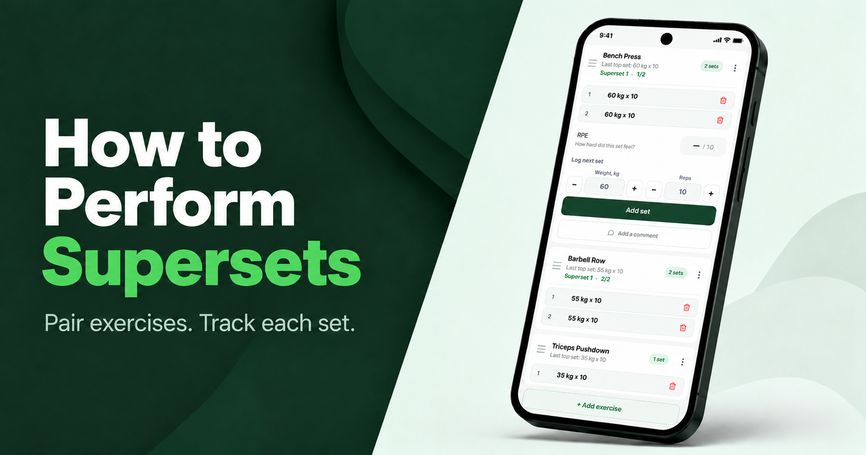
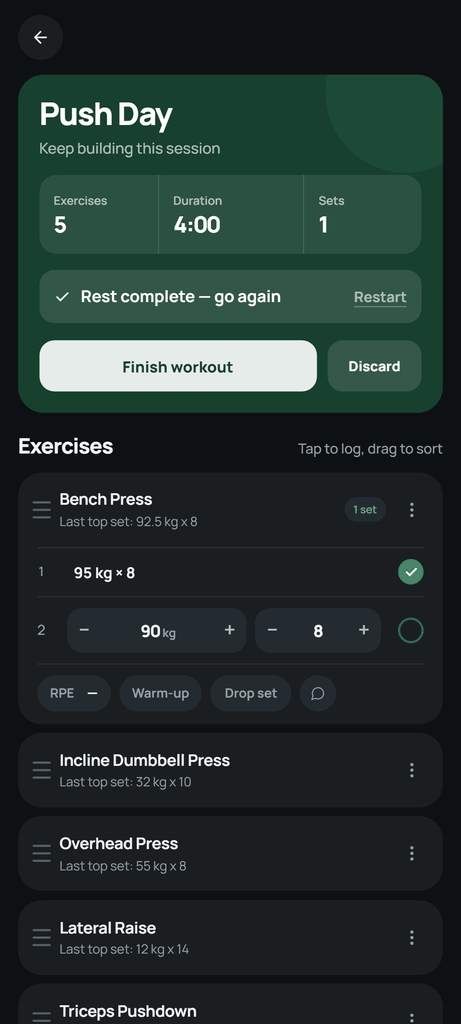
When you reconnect, open the app and allow sync to complete. Check the completed workout and its sets before relying on the same history from another device or an AI assistant. The screenshot below shows the logging screen.
Offline logging, cloud sync and AI
Creating routines, logging workouts, reviewing history and checking personal records work offline. A connection is needed for your initial sign-in or first guest access, and to sync changes between your phone and account.
Guest users can start without creating an account and keep guest workouts when they later sign up or sign in. Establish that access online. For sync problems, contact Setlane support; for data handling, read the privacy policy.
ChatGPT and Claude need an internet connection and your account’s synced data. They cannot see unsynced sets still on your phone. Use the AI connection guide after syncing if you want to review a training block.
Start with workout logging on Free
Setlane Free includes offline workout logging, up to three routines, five custom exercises and 90 days of workout history. Pro adds full history and additional progress charts and record values. An AI subscription is not required to log your workouts.
Once you have several completed sessions, use the progressive-overload guide to compare them. The volume guide explains what your set totals mean.
Frequently asked questions
Can I log a workout in airplane mode?
Yes. After the initial sign-in or guest setup, you can create routines, log sets, use the rest timer, view workout history and check personal records in airplane mode. You do not need to prepare your routine online. Reconnect later to sync your changes.
Can I start as a guest without internet?
The first guest session needs a connection. Guest mode lets you start without creating an account, but it does not mean the first launch works offline.
Will ChatGPT see the sets I have not synced yet?
No. Sync the workout first. The AI connection reads available account data online and cannot read unsynced entries stored only on your phone.