What should you record to track progressive overload?
Progressive overload means increasing the training demand over time as you adapt. To track it, record the exercise, weight, repetitions and completed sets for each session. Compare the same exercise, equipment, range of motion and weight unit. Note changes in technique or effort that make a comparison less reliable.
Start with a repeatable question: did you do more reps with the same load, or lift more load for the same reps under similar conditions? A notebook, spreadsheet or workout tracker can all hold that evidence. You do not need an overall score.
A four-session workout log
This illustrative bench-press log compares one top working set per session. It is a teaching example, not a user’s results or a suggested progression schedule. Assume the same setup, technique and similar effort.
| Session | Weight | Reps | e1RM |
|---|---|---|---|
| 1 | 80 kg | 8 | 101.3 kg |
| 2 | 80 kg | 9 | 104.0 kg |
| 3 | 82.5 kg | 8 | 104.5 kg |
| 4 | 82.5 kg | 8 | 104.5 kg |
Session 2 adds a rep at the same weight. Session 3 adds weight but drops a rep; the Epley estimate changes only slightly. Session 4 repeats the result. A single repeated session does not establish a plateau.
Keep the other working sets in the log too. A top-set table shows performance on that set; it cannot tell you how much work the full session contained.
Read weight, reps and volume as different signals
- Weight: a heavier load matters most when the reps and technique remain comparable.
- Reps: an extra rep at the same load is progress even if the heaviest weight is unchanged.
- Estimated 1RM: puts weight and reps on one scale. The difference between 104.0 and 104.5 kg is an estimate, not proof that your tested max rose by 0.5 kg. See the e1RM guide or try the one-rep max calculator.
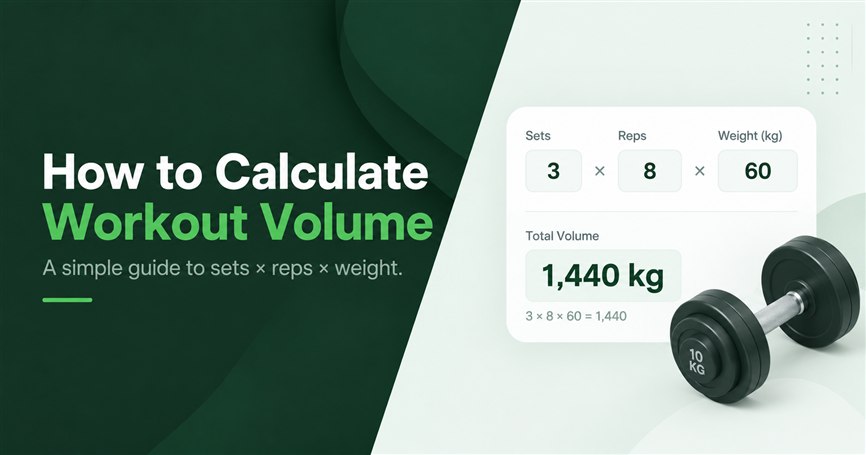
- Volume load: add weight × reps across the sets. More sets can raise volume while top-set performance stays flat. The workout volume guide separates volume load from working-set count.
A personal record is a peak. A trend is several comparable sessions. Keep both in view instead of treating every workout without a PR as a failure.
What to check when the log looks stalled
- Check the entries. Same exercise variant, kg or lb, and consistent load convention? Did you accidentally include warm-ups or leave sets unfinished?
- Check the conditions. A new machine, shorter rest or different exercise order can change performance. Note these before comparing numbers.
- Check more than one session. Review a sequence of completed sessions and the surrounding set count and frequency. One bad day is not a trend.
- Check the goal. More volume and a heavier single are different outcomes. Pick the measure that answers your training question before changing the plan.
ACSM’s 2026 resistance-training position stand reviews how training load, volume and other variables relate to different outcomes. It supports choosing measures for the goal; this log checklist is an interpretation aid, not an individual training prescription.
Track the same comparison in Setlane
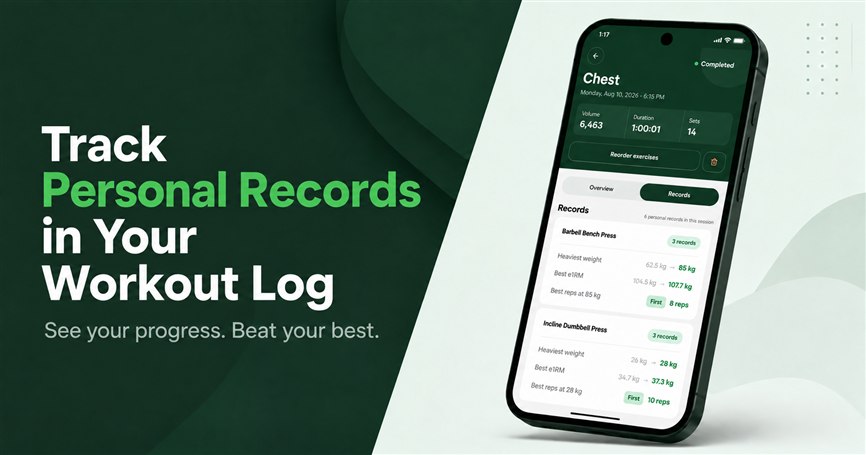
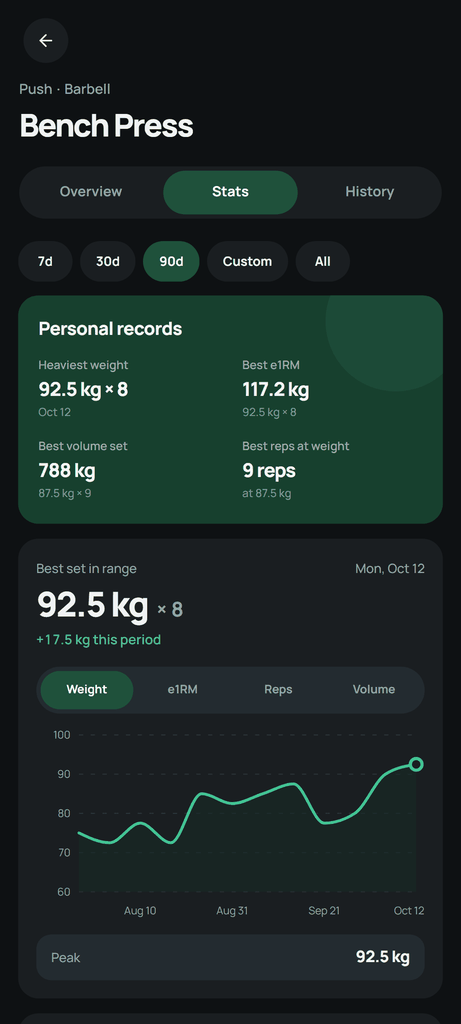
Open an exercise, then Stats. Choose a period and compare the completed sessions. Progress offers Weight, e1RM, Reps and Volume. The Personal records card below holds best performances, separate from the charts.
Finish the workout before checking its contribution to progress charts and workout records. Compare the date range and exercise used in the chart with the entries in your log.
Free and Pro: Free includes the Weight progress chart within its history limit and Heaviest weight on the exercise; after a workout it highlights one Biggest win. Pro adds the e1RM, Reps and Volume charts, the other record values and full history.
What the next set is pre-filled with
On the gym floor Setlane does suggest the next weight. It looks at the matching set from the previous workout of that exercise, then applies that exercise’s weight increment — often 2 kg or 2.5 kg, and you can change it.
- 6 to 12 reps. Same weight and reps as last time.
- More than 12. Weight goes up by one increment. The reps field starts empty.
- Fewer than 6. Weight goes down by one increment, not below zero. The reps field starts empty.
You can type over the suggestion. It is a logging default for the next set, not a new program and not a message to add 2.5 kg on every lift.
Ask ChatGPT to explain a completed training block
After several logged sessions, use the optional AI connection with read access. Ask for evidence from your log before considering a change.
Compare my latest four weeks with the previous four. Which exercises changed in weight or reps? Show the supporting sessions, and distinguish a repeated result from a longer stall. Tell me when the available data is insufficient.
The connection follows your Setlane plan. See what ChatGPT can read. To build a routine first, use the ChatGPT workout-plan walkthrough.
What the log cannot tell you
These numbers do not measure technique, muscle growth or recovery directly. Setlane does not assign RPE, RIR or a periodization plan. Use the log to make comparisons clearer, then review any training change in the context of your own routine.
Frequently asked questions
How do I track progressive overload without an app?
Record the exercise, date, weight, reps and completed sets in a notebook or spreadsheet. Compare the same exercise and similar conditions across several sessions.
Does every workout need a personal record?
No. A repeated result in one session does not establish a plateau. Review several comparable completed sessions and the surrounding training volume.
Can I track e1RM and volume on Setlane Free?
Free includes the Weight progress chart within its history limit. The e1RM, Reps and Volume charts are part of Setlane Pro. Only completed workouts contribute to these progress comparisons.