Strong already covers routines, rest timers and workout history. These four alternatives offer different reasons to move. The order is not a scored ranking: Setlane is our app, and the most suitable choice depends on what you want to change.
Prices retain the separate check dates shown below. Written by the Setlane team; this is a feature comparison, not a scored ranking.
Start with your reason for leaving Strong
| App | Consider it for | Check before switching |
|---|---|---|
| Setlane | Free training calculators, CSV import and connected AI | Android only; 3 free routines and 90-day in-app history |
| Hevy | Strong CSV import, friends and watch support | Four routines and seven custom exercises on Free |
| Alpha Progression | Optional plan generation and progression targets | Programming features need Pro |
| Boostcamp | Following a ready-made training program | Some programs and advanced analysis need Pro |
1. Setlane — free training tools and connected AI
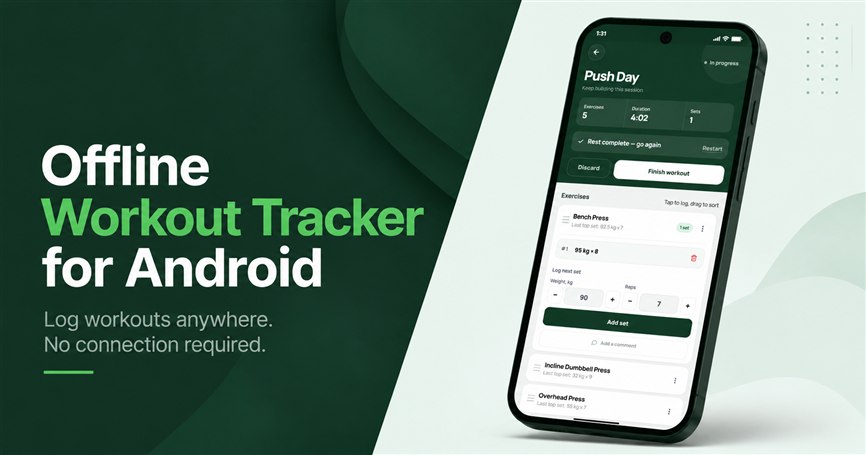
Setlane is worth considering if you already use ChatGPT or Claude and want the conversation grounded in completed workouts. Read access supports analysis; editing access supports approved actions such as saving routines. Gym logging can work offline after setup, while assistant access requires the internet.
Setlane Free includes supersets and drop sets in workouts and templates, warm-up sets, and optional RPE ratings from 6 to 10 in half-point steps. You can record both what you lifted and how hard the set felt without upgrading to Pro.
Both training calculators are also free in Setlane. The warm-up calculator builds a sequence from percentages of your working weight, with adjustable repetitions. The plate calculator accounts for the bar weight and available plate pairs, showing the load on each side and nearby achievable weights when an exact load is not possible.
Setlane Free also includes muscle-group progress and period comparisons on the Progress page, plus a Muscles tab showing the muscles involved in each workout. These views use your recorded training and exercise muscle mappings; they do not measure muscle growth. Free date-window limits still apply.
Setlane Free includes three routines, five active custom exercises, 90 days of in-app history, the Progress dashboard and basic exercise progress, plus 60 AI tool calls per month. Pro adds full in-app history, custom date ranges, exercise-level e1RM, reps and volume charts, and detailed records. CSV import and full-history CSV export are available on Free as well as Pro.
Read the Setlane vs Strong comparison · AI connection
You can import Hevy and Strong workout history by CSV on Setlane Free, with exercise matching and a preview before saving.
Setlane Free can export the full workout history to CSV, including workouts older than its 90-day viewing window. Pro is not required for export. Sign in to a permanent account, connect to the internet and sync pending changes first. The file contains workout data, not a complete backup of every account setting.
Strong supports supersets, set tags and RPE too. Its plate calculator and warm-up calculator require Strong PRO, while both are included in Setlane Free. Manually recording a warm-up set is different from having a calculator prepare the sequence: Strong allows manual warm-up tags without PRO.
2. Hevy: carry over Strong history and train with friends
Hevy supports Strong CSV import and offers a social feed and apps for iPhone, Android, Apple Watch and Wear OS. That makes it a practical candidate if retaining your history or a watch is central to the move. Its free tier supports four routines and seven custom exercises.
During a workout, Hevy shows previous set values and lets you log RPE, group exercises into supersets, and mark warm-up, drop and failure sets. Rest timers and a plate calculator help between sets. You can build routines yourself or start from a ready-made plan, then follow the same log on your phone or supported watch.
Progress views cover personal records, estimated 1RM, volume and muscle distribution. The social feed lets you follow friends and comment on their workouts. Pro adds all-time statistics, more body measurements, the warm-up calculator and Hevy Trainer’s personalized programs and progression recommendations. These are useful distinctions if you want coaching or community alongside familiar logging tools.
Follow Hevy’s import instructions for your exported file; its tutorial specifies exporting Strong data in English. After import, check exercise names, units and several old sessions. A successful import is worth verifying before relying on the new charts.
3. Alpha Progression: add programming and progression guidance
Alpha Progression’s Pro tools include a personalized plan generator, set-by-set weight and rep recommendations, periodization and deloads. This addresses a different need from simply recording a routine: help deciding what to do next. You can still create plans manually and keep control of your exercise choices.
The free version includes unlimited workout logging, manually created plans, exercise videos, a rest timer, body measurements and CSV export. The exercise library includes setup and technique guidance, with filters for equipment and muscle groups. You can therefore use it as a regular training log before deciding whether you need the programming tools.
For Pro plans, the generator takes your goals, equipment and schedule into account, while progression targets use your past performance. Multiple gym profiles let you keep separate equipment setups for home and the gym. Pro also includes RIR tracking, plate and warm-up calculators, and charts for exercises, muscles, training and body measurements.
Consider it when planning is the missing piece in Strong. The paid programming features cost more than Strong PRO at the published monthly and annual prices. A generated target is something to assess in your own training context, not a reason to ignore technique or discomfort.
Official sources: Alpha Progression
4. Boostcamp: follow a program rather than build every day
Boostcamp combines a program library with workout logging. Its free tier includes training programs and core tracking; Pro adds exclusive programs and advanced analysis. It is a candidate when you like keeping records but want the training structure supplied alongside them.
The library includes coach-designed and community programs for different goals, experience levels and weekly schedules. Instead of entering every training day from scratch, you choose a program and follow its exercises, sets and rep targets. This is particularly useful when leaving Strong because you want a structured training block, not just a different place to store the same routine.
During sessions, Boostcamp combines weight and rep logging with a rest timer, exercise swaps, demonstration videos, RPE tracking and a plate calculator. Workout history and personal records help you follow the plan over time. The free tier covers core logging; Pro adds advanced analysis and exclusive coach programs. It runs on iOS and Android, but has no Apple Watch or Wear OS app.
Boostcamp Pro costs $11.99 per month or $59.99 per year, billed annually. Choose it if you want its additional analysis or a specific Pro program.
Official sources: Boostcamp
Compare the USD prices
| App | Monthly Pro | Annual Pro |
|---|---|---|
| Strong (reference) | $4.99 | $29.99 |
| Setlane | $4.99 | $19.99 first year; $29.99 renewal |
| Hevy | $2.99 | $23.99 |
| Alpha Progression | $12.99 | $79.99 |
| Boostcamp | $11.99 | $59.99 |
Boostcamp pricing checked September 30, 2026; other prices checked September 18, 2026. Annual prices are the yearly charge, not a monthly rate. Setlane’s renewal follows its first-year offer. Store offers can differ; use the linked official pricing and check the purchase screen.
Official sources: Strong PRO · Setlane · Hevy Pro · Alpha Progression · Boostcamp
Before moving your Strong workouts
Setlane imports workout history from Hevy and Strong CSV exports on Free and Pro. In Settings, open your account and choose Import workouts. Select the file, check the units and time zone, match the exercises and review the preview before confirming. Import requires an internet connection and a permanent Setlane account.
This transfers supported completed-workout data, not saved routines or every field from the old app. Distance and individual-set duration are not imported. Review any warnings and spot-check familiar sessions. Imported workouts older than 90 days remain stored but are locked for in-app viewing on Free; they are still included in a full CSV export.
For an Android lifter leaving a paid calculator behind, Setlane is now a practical option even without using AI: warm-up and plate calculators, RPE, supersets and drop sets are all free. It still has three free routines and no Apple Watch app. Hevy offers four free routines; Strong keeps old workout data accessible without PRO.
Official sources: Strong · Hevy
Compare the other options: Setlane vs Hevy · Hevy alternatives · Setlane vs Strong
Frequently asked questions
Which Strong alternative can import my workouts?
Setlane and Hevy both support importing workout history from Strong CSV exports. Setlane includes import on Free and Pro, with exercise matching and a preview before saving; saved routines are not transferred. Hevy accepts a Strong CSV exported in English. In Setlane Free, imported workouts older than 90 days remain stored but require Pro to view in the app.
Which option should I try if I do not want a subscription?
Setlane and Hevy offer free versions and one-time lifetime purchases. Strong itself also has a permanent free version, so first check whether the feature you need actually requires switching.
Should I switch if I only need more saved routines?
Compare the cost of Strong PRO with the alternative you want. Setlane Free also allows three routines, so it does not solve that specific limit. Hevy Free allows four.