Who is ChatGPT with Setlane for?
This connection is for lifters who already use ChatGPT to think through training and want answers grounded in their workout history. Log sets in Setlane for Android, then ask ChatGPT about the completed sessions. The app also works without an AI connection.
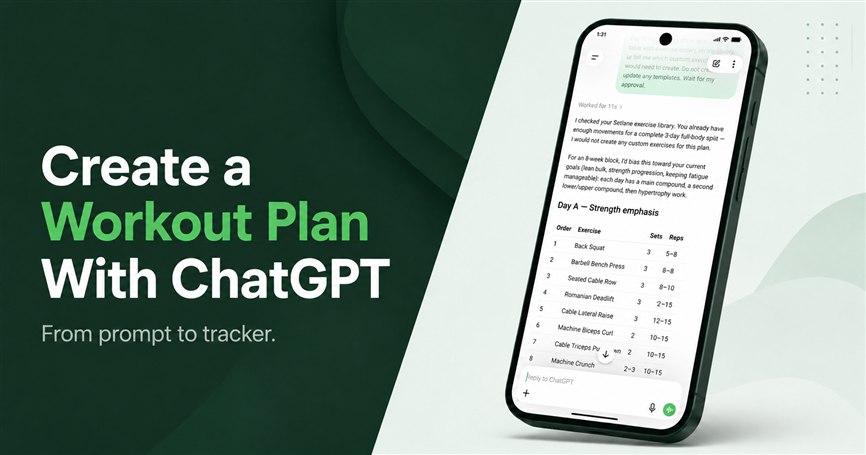
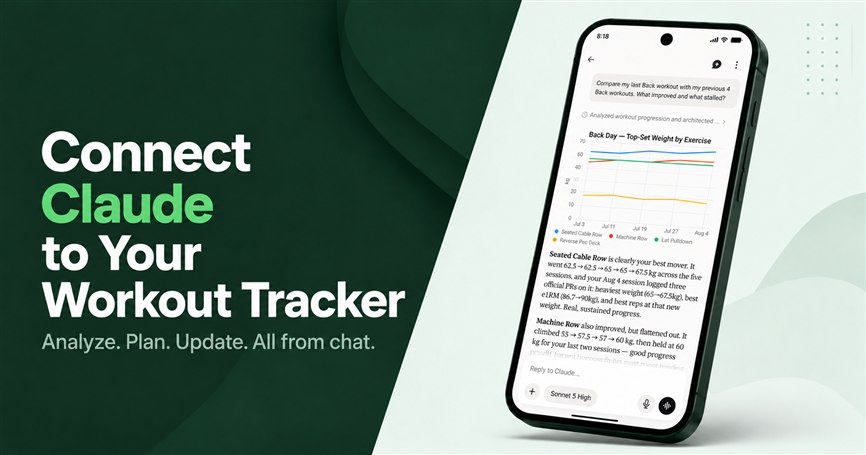
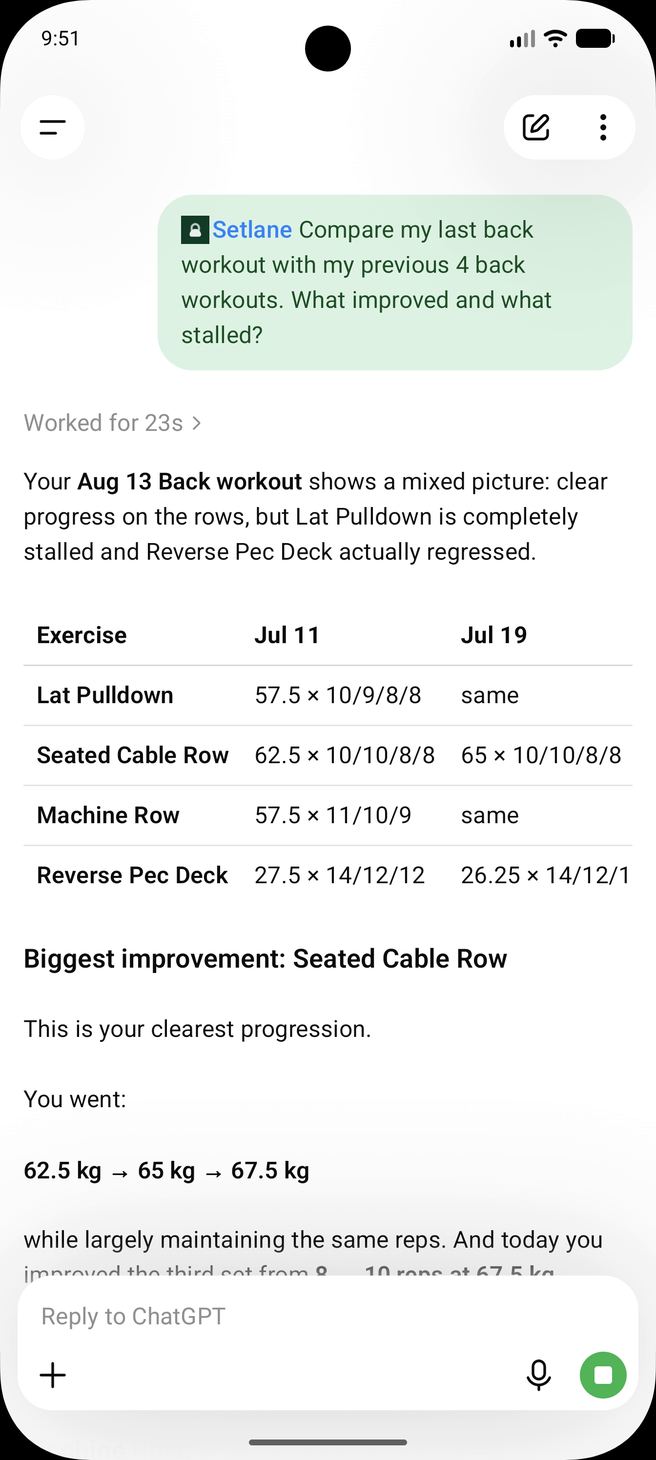
For example, ask which lifts stopped progressing in the last eight weeks. ChatGPT can retrieve the relevant history, identify the sessions behind its answer and explain what changed. Ask it to flag missing evidence instead of guessing why a lift stalled. The existing example below shows a review of a logged training block.
Start with read-only for analysis. Choose write access for supported changes you want to approve. Follow the connection setup guide when you are ready.
What can ChatGPT read from my workouts?
With read access, ChatGPT can request the Setlane records needed to answer a training question: templates, completed workouts, volume summaries, exercise progress, personal records, and body-weight trend — limited to your account and plan. It does not download the whole database. Read-only is enough if you want analysis without changing anything.
- Exercises: search the built-in library and your custom exercises.
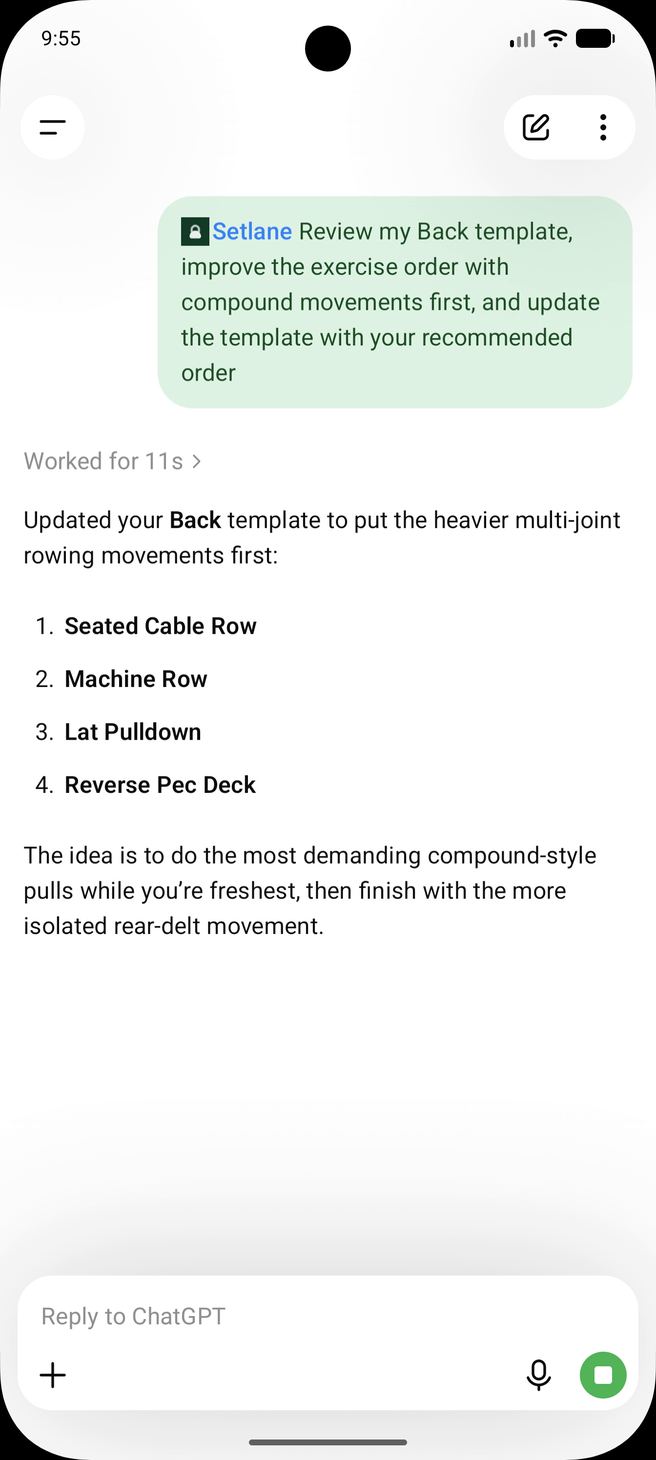
- Workout templates: review saved routines and their exact exercise order.
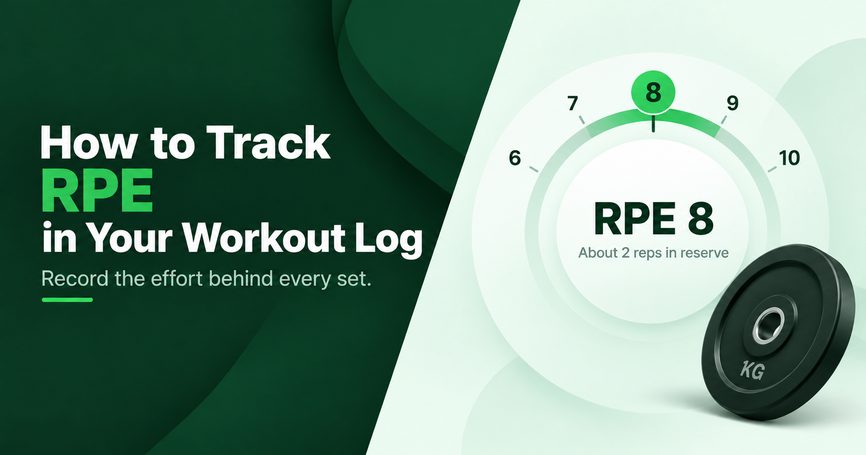
- Workout history: list workouts or open one workout with its exercises, sets, reps, weights and top-set flags.
- Training summaries: total volume, sets, workouts and training days for a date range, with an optional equal-length comparison period.
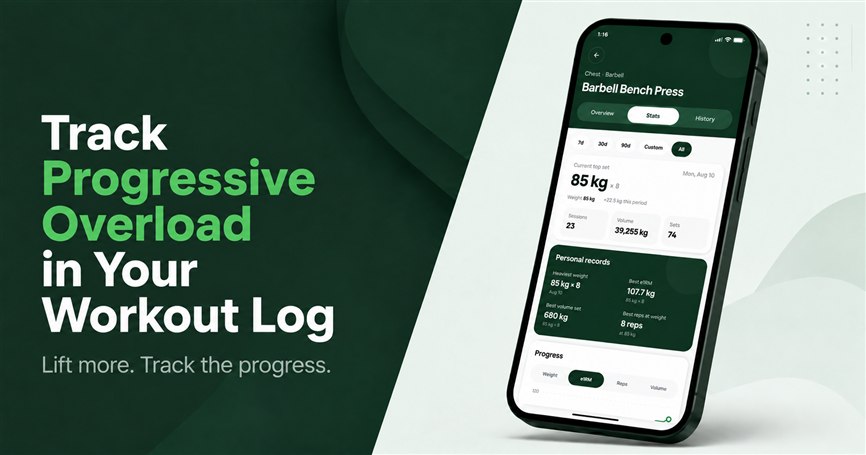
- Exercise progress: follow weight and, where included in your plan, estimated 1RM, reps and volume over time.
- Personal records: inspect the best performances recorded for an exercise or earned in a completed workout.
- Body-weight trend: review measurements and change over a selected period.
Can ChatGPT update my Setlane workouts?
With read and write access, ChatGPT can request specific Setlane writes: create or update a template, create or edit a custom exercise, correct a completed set or workout date, and log today’s body weight. Each action is a registered server tool, not open database access. Deleting a template, workout, or set still requires a second confirmation.
- Build and maintain routines: create a workout template with a name and exercise list, rename one, or replace its saved exercise order using exercises already available in Setlane.
- Manage custom exercises: create a custom exercise or update the editable fields of an active custom exercise.
- Correct completed training: change a completed workout's date or exercise order, or correct an existing set's weight, reps, comment or top-set status.
- Log today's body weight: add today's measurement in your profile timezone, or update today's existing entry.
Permanent changes stop for confirmation
Deleting a workout template, completed workout or completed set is a two-step operation. Setlane first returns a preview of what would be removed and issues a short-lived confirmation ID. The deletion runs only after you explicitly confirm it, and the server rechecks the target before applying the change.
Active workouts remain in the Setlane app. AI connections cannot control an active session, add or move sets in completed workouts, or archive or delete custom exercises.
ChatGPT workout tracker prompts
You do not need to mention MCP, IDs or tool names. Ask in normal training language and include the range or outcome you care about. These are ChatGPT-shaped: stalled lifts, block comparison, a Push Day rewrite, and a logged-set correction.
“Analyze my last eight weeks. Which lifts have stalled, and what changed in volume or frequency around each stall?”
“Compare my latest four weeks with the previous four. Summarize volume, sets, training days and the exercises driving the difference.”
“Review my Push Day template. Suggest a better order with compound lifts first, show me the proposal, then update it if I approve.”
“My final bench press set in yesterday's workout was 82.5 kg for 8 reps, not 80 kg. Correct it and add the comment ‘paused reps’.”
“Create a three-day full-body routine using exercises already in my Setlane library.”
“Add 81.4 kg as today's body weight.”
For stalled lifts and block-to-block comparison, see how to track progressive overload. For the full path from a planning prompt to a saved routine, see how to create a workout plan with ChatGPT.
Is it safe to connect ChatGPT to a workout log?
Connecting ChatGPT does not give it your Setlane password or billing details. You pick read-only or read and write on the OAuth screen, and you can revoke the connector later in Setlane. Permanent deletions still preview first. Review any suggested change before it writes, especially to history or a routine you are following.
- You choose the access level
- Select read-only or read and write on the Setlane OAuth consent screen.
- Plan and ownership checks still apply
- The connection can only access the signed-in user's data and the capabilities available under that Setlane plan.
- Credentials and billing stay out
- The connection does not provide your Setlane email, password, authentication credentials, purchase tokens or payment details.
- Deletion requires a second decision
- Supported permanent deletions show a preview and require separate explicit confirmation.
- You can revoke access
- Disconnect ChatGPT at any time from AI connections in Setlane account settings.
For connection requirements and the current setup steps, use the ChatGPT connection guide.
What does the Setlane connection cost?
Setlane Free includes 60 AI tool calls per month, shared across connected AI clients. One message can use several calls. Pro removes Setlane’s monthly call cap. Access to custom connections and any ChatGPT or Claude subscription are separate; the AI provider’s own limits still apply.
The data ChatGPT can access follows your Setlane plan. Free has a 90-day history limit and basic progress; Pro adds full history and the additional charts and record values. Routine and custom-exercise limits also apply to writes.
Frequently asked questions
Can ChatGPT log or edit workouts in Setlane?
With write access, ChatGPT can make supported changes to routines, custom exercises, today’s body weight and completed workout data. Routine tools save names and exercise order, not planned sets or rep targets. ChatGPT cannot control an active workout.
How do I add the ChatGPT workout connection?
Follow the desktop or web steps in the connection guide, then choose read-only or read and write on the Setlane consent screen. AI-provider availability and plan requirements are separate from Setlane.
Can ChatGPT delete a workout without asking?
A supported permanent deletion first produces a preview and requires a separate explicit confirmation before Setlane executes it.
Is the ChatGPT workout connection free?
Setlane Free includes 60 AI tool calls per month, shared across connected AI clients. A message can use several calls. Pro removes Setlane’s monthly cap. Any ChatGPT subscription and its own usage limits are separate.