Who is Claude with Setlane for?
If you keep a Claude Project with training notes, use Setlane for the structured log: workout dates, exercises, weights and reps. Claude can read completed sessions through the optional connection so you do not have to paste each workout into your notes.
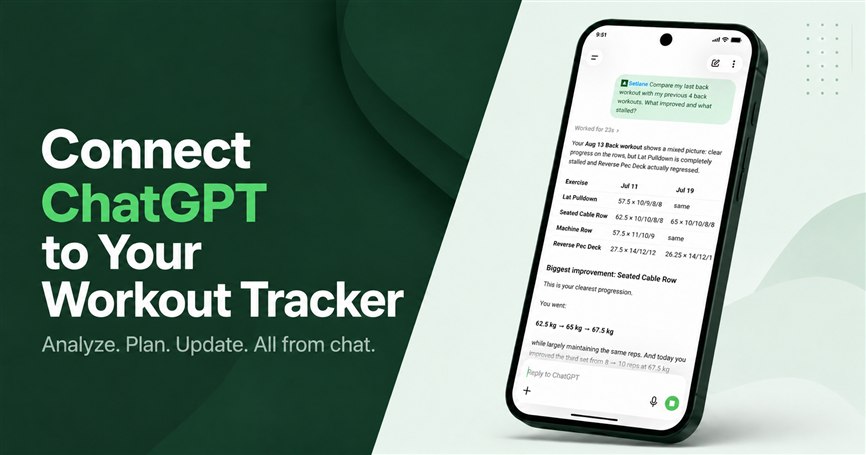
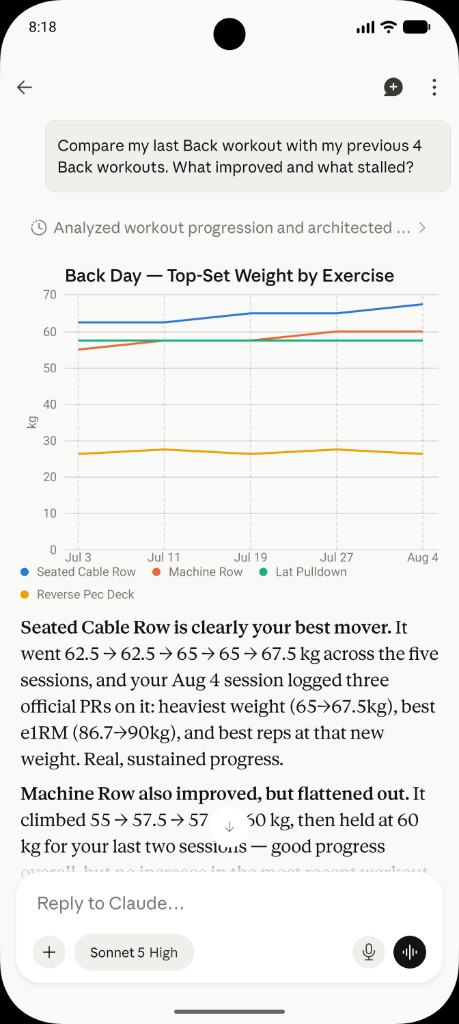
A useful first review is your latest Back workout against the previous three Back days. Ask Claude to show which row or pulldown sets support the comparison, then inspect your saved Back routine before discussing changes. The existing example below shows this workflow.
Choose read-only to review the log or write access for supported, approved edits. The Claude setup guide holds the connection details.
What can Claude see in Setlane?
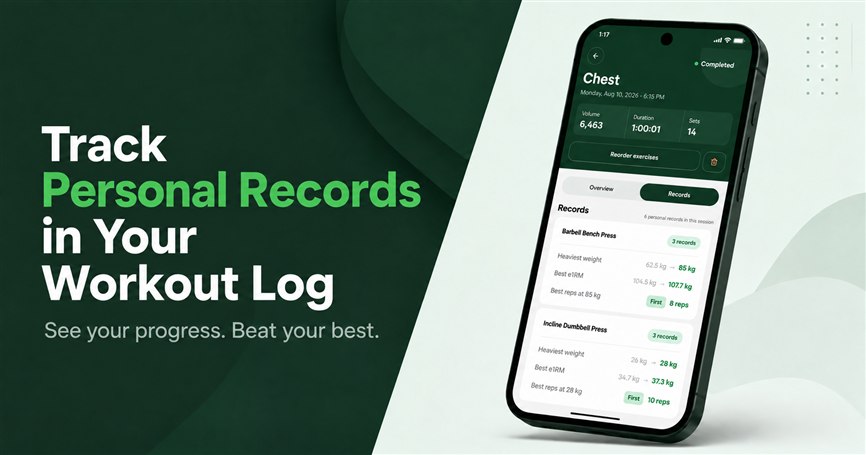
Claude can read the same Setlane records ChatGPT can: templates, completed workouts with sets, training summaries, exercise progress, personal records, and body-weight trend — only data your plan already shows. It does not get your password or billing. If you currently paste Back sessions into a Project, the connector replaces that paste with the structured log.
Typical read-only questions for this client: open yesterday’s Back workout, compare it with the previous three Back days, or inspect the saved Back template’s exercise order. The full tool list is the same MCP surface described for ChatGPT and Setlane; Claude is another client, not a thinner API.
Can Claude change a routine in Setlane?
With write access, Claude can create or rename a template, replace its exercise order, add a custom exercise, correct a completed set, or log today’s body weight. It cannot run an active workout or add sets to a finished session. Deleting a template, workout, or set still returns a preview and needs a second confirmation.
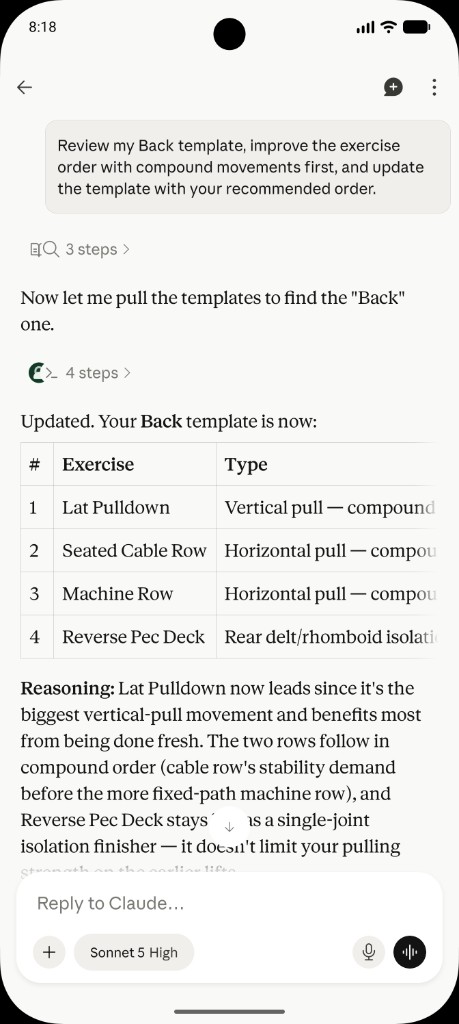
Connecting does not overwrite Back the moment you click Allow. Claude writes when you ask. Review the proposed order in the thread first — the screenshot below is that path: inspect the template, then update it.
Is Claude different from ChatGPT for Setlane?
Both clients connect to the same Setlane account and supported tools. Their setup paths and OAuth client IDs differ; the connection guide keeps those details together. Choose the assistant you already use for training review.
Use this page if you live in Claude. Use ChatGPT with Setlane if you want stalled-lift prompts, Push Day rewrites, and the path to saving a plan as templates.
Claude prompts for a Back week
Ask in training language. These match the screenshots: a finished Back session, the Back template, and a row that was logged wrong — not the Push Day and bench examples on the ChatGPT page.
“Open my last completed Back workout in Setlane. Compare it with the previous three Back days. Which exercises moved, and which stalled?”
“Show the exercise order on my Back template. Propose compounds first, wait for approval, then update the template.”
“Yesterday’s seated row last set was 70 kg × 10, not 65 kg. Correct that set and comment ‘chest-supported’.”
“If chest-supported row is missing from my library, tell me before creating it. Do not add it to Back until I say so.”
“Summarize lat work from Setlane over the last six weeks. Use the log, not this chat.”
Connect Claude and choose your access
Use the Claude setup instructions for the server URL and client-specific OAuth details. Authorize read-only for analysis or read and write for supported edits. You can revoke the connection in Setlane.
Setlane Free includes 60 AI tool calls per month, shared across connected AI clients. One message can use several calls. Pro removes Setlane’s monthly call cap. Access to custom connections and any ChatGPT or Claude subscription are separate; the AI provider’s own limits still apply.
Frequently asked questions
Can I keep a Claude Project and still use Setlane?
Yes. A Project can hold your notes. The connection supplies the structured workout log, so you do not have to paste every session into the thread.
How do I connect Claude to Setlane?
Use the Claude section of the connection guide on desktop or web. It includes the server URL and the Claude-specific OAuth client ID. Select read-only or read and write on the Setlane consent screen.
Will connecting Claude overwrite my routine?
Connecting authorizes access; it does not itself change a routine. Review a proposal before requesting a supported write. Permanent deletions need a preview and separate confirmation.
Are Claude and Setlane subscriptions the same?
No. Setlane Free includes 60 AI tool calls per month, shared across connected AI clients; Pro removes that cap. Any Claude subscription, connection availability and provider usage limits are separate.